The integration sidecar: customer integrations outside your SaaS core

Most B2B SaaS teams hit the same request sooner or later. A large prospect is ready to sign, on one condition: the product has to sync with their NetSuite setup, or send webhooks in a format their middleware already expects, or drop a CSV on their SFTP server every night.
The request is reasonable, and the deal is worth it. The awkward question is where the code goes.
This post describes a pattern one of our customers arrived at on their own. They run each customer integration as a small, isolated backend beside their SaaS product, and their core product doesn't change at all. We've started calling it the integration sidecar.
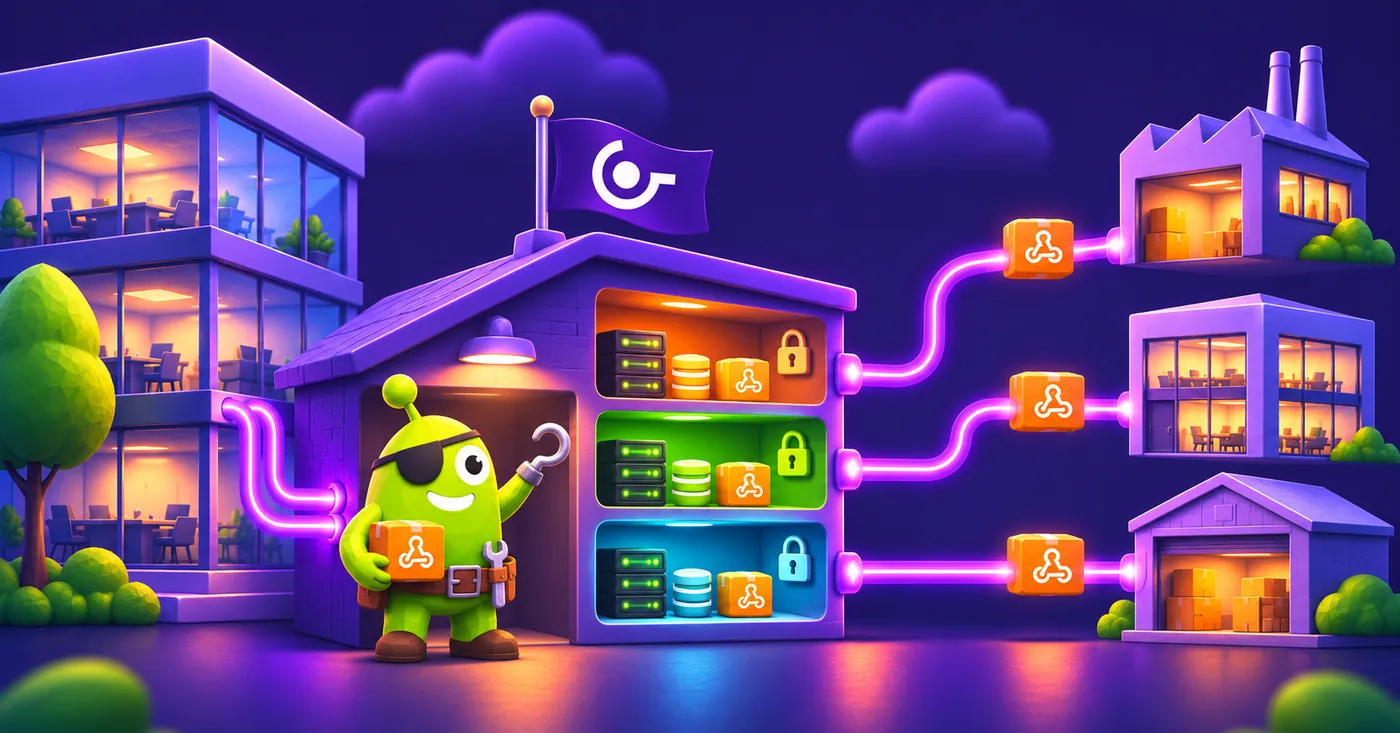
Where do customer-specific integrations usually end up?
There are three usual answers, and each one has a cost that shows up later.
In the core app. This is the quickest start, since the data and the deploy pipeline are already there. Over time the main repository collects code paths that only one customer uses, the customer's ERP credentials sit next to your production secrets, and a one-line fix to their field mapping waits for the next release of the whole product.
In an embedded iPaaS. Products such as Prismatic and Paragon are built for SaaS vendors that need a catalogue of standard connectors, often with a configuration UI your customers can use themselves. If most of your requests are the same ten connectors, that's a sensible thing to buy. A one-off integration with custom logic for a single customer is the case they're least designed for.
On raw cloud primitives. You can build it from Lambda, SQS, DynamoDB, EventBridge and Secrets Manager. It works, but each integration then needs its own IAM roles, infrastructure code and monitoring, which is a lot of setup for something that moves records between two APIs.
What is the integration sidecar pattern?
An integration sidecar is a separate backend that runs beside your SaaS product and holds the code for one customer integration (or one reusable integration). Your product talks to it the way it would talk to any external system: it sends webhooks out, or exposes an API the sidecar reads from.
The name borrows from the Kubernetes sidecar, a helper process that runs next to the main one, although here the two don't share a host or even a cloud. What carries over is the relationship, since the sidecar adds to what the product can do while its code lives somewhere else.
On Codehooks, the sidecar is a project, and each customer gets a space inside it. A space is a self-contained bundle of code, database, key-value store, queues, API tokens and environment variables. Three properties follow from that:
- Separate data and secrets per customer. Each space has its own database and key-value store, and credentials are stored on the space with
coho set-env --encrypted. Everything that belongs to one customer is in one place, which also makes offboarding them simpler. - State is built in. Integrations need more state than a stateless function gives you. You need to remember which events you've already handled, queue work for later, keep a sync log and run something on a schedule. All of that comes with the space.
- Deploys don't touch the product. Shipping a fix to one customer's mapping is a
coho deployto their space, and it takes a few seconds.
Here's how the pieces connect for three customers:
Each customer's integration is isolated in its own space. Where two customers need the same integration, their spaces run the same code with different settings.
What does an integration sidecar look like in code?
Here's a complete sidecar for one customer. Your product sends a signed webhook when an invoice is created. The sidecar verifies it, skips duplicates, and queues the work. A worker pushes the invoice to the customer's ERP and records the outcome, and a scheduled job retries failures.
// Verified against `coho prompt` (codehooks-js, 2026-11-28) and the
// webhook-verify README (hmac.verifyWithTimestamp).
import { app, Datastore } from 'codehooks-js';
import { hmac } from 'webhook-verify';

// Your product signs its own webhooks, so this route skips the API key check
app.auth('/webhook/*', (req, res, next) => next());

app.post('/webhook/invoices', async (req, res) => {
  const valid = hmac.verifyWithTimestamp(
    req.rawBody,
    req.headers['x-signature'],
    process.env.WEBHOOK_SECRET,
    req.headers['x-timestamp'],
    { format: '{timestamp}.{payload}', tolerance: 300 }
  );
  if (!valid) {
    return res.status(401).json({ error: 'Invalid signature' });
  }

  const conn = await Datastore.open();
  const kv = { keyspace: 'seen-events' };

  // Your product may send the same event twice. Handle it once.
  if (await conn.get(req.body.eventId, kv)) {
    return res.json({ duplicate: true });
  }
  await conn.set(req.body.eventId, '1', { ...kv, ttl: 7 * 864e5 });

  const sync = await conn.insertOne('syncs', {
    eventId: req.body.eventId,
    invoice: req.body.invoice,
    status: 'queued',
    attempts: 0,
  });
  await conn.enqueue('push-invoice', { id: sync._id });
  res.json({ received: true });
});

// Runs in the background, so a slow ERP never blocks your product
app.worker('push-invoice', async (req, res) => {
  const conn = await Datastore.open();
  const { id } = req.body.payload;
  const sync = await conn.findOneOrNull('syncs', id);

  try {
    const r = await fetch(`${process.env.ERP_URL}/invoices`, {
      method: 'POST',
      headers: {
        'Content-Type': 'application/json',
        Authorization: `Bearer ${process.env.ERP_TOKEN}`,
      },
      body: JSON.stringify(toErpInvoice(sync.invoice)),
    });
    if (!r.ok) throw new Error(`ERP replied ${r.status}`);
    await conn.updateOne('syncs', id, {
      $set: { status: 'done', syncedAt: new Date().toISOString() },
      $inc: { attempts: 1 },
    });
  } catch (err) {
    await conn.updateOne('syncs', id, {
      $set: { status: 'failed', lastError: String(err) },
      $inc: { attempts: 1 },
    });
  }
  res.end();
});

// Every 15 minutes, queue failed syncs again (up to five attempts)
app.job('*/15 * * * *', async (req, res) => {
  const conn = await Datastore.open();
  const { ticket } = await conn.enqueueFromQuery(
    'syncs',
    { status: 'failed', attempts: { $lt: 5 } },
    'push-invoice'
  );
  console.log(`re-queued ${ticket.count} syncs`);
  res.end();
});

// This customer's field names
function toErpInvoice(invoice) {
  return {
    DocNumber: invoice.number,
    CustomerRef: invoice.customerId,
    TotalAmt: invoice.total,
    TxnDate: invoice.issuedAt.slice(0, 10),
  };
}

export default app.init();
The syncs collection doubles as the audit log. Every event has a record with its status, the number of attempts and the last error, so when the customer asks about a missing invoice you can answer with coho query -c syncs -q 'status=failed' instead of searching through logs.
Signature verification uses webhook-verify, our open source package. If your product already sends webhooks through Svix, use verify('svix', ...) instead of the generic HMAC check.
How does a new customer go live?
The first customer needs a project. After that, each new customer is a space with their own settings, and the code is the same.
# Once: create the sidecar project (or start from an existing repo)
coho create erpsidecar

# Per customer: a new isolated space
coho add globex

# Their secrets, stored encrypted on their space only
coho set-env WEBHOOK_SECRET <shared-with-your-product> --encrypted --space globex
coho set-env ERP_URL https://erp.globex.example --space globex
coho set-env ERP_TOKEN <their-erp-token> --encrypted --space globex

# Deploy the same code to their space
coho deploy --space globex

# Watch the first events arrive
coho log -f --space globex
Point your product's webhook for that customer at the URL of their space, and the integration is live. The parts that differ between customers are the environment variables and the mapping function. If two customers need genuinely different mappings, keep one mapping module per customer in the repository and choose between them with an environment variable.
Because every customer runs the same code, a fix to the shared part can be deployed to each space from the same repository. Most of the work on the second ERP integration is the mapping function.
Why does this suit AI coding agents?
Writing integration code has become the fast part. Give Claude Code, Cursor or Codex a third-party API spec and a sample of your data, and it will produce a reasonable connector in minutes.
What's still slow is everything around the code. You probably don't want an agent committing a customer-specific workaround to your main product repository. An agent also can't do much with an iPaaS that is configured through a drag-and-drop UI.
A sidecar gives the agent a small, contained place to work. It runs coho prompt to get the Codehooks API reference, writes the connector, deploys it to one customer's space and reads coho log to check the first events. Every step is a CLI command, so the agent can run the whole loop itself. AI agent setup covers getting Claude Code, Cursor or Codex ready for this, including the Codehooks plugin for Claude Code.
The limit is worth stating. An agent can write the mapping between your fields and the customer's, but it can't tell you what the customer meant by a field, or which system is right when the two disagree. Those answers still come from talking to the customer.
Summary
Customer-specific integrations are a normal part of selling SaaS to larger companies, and the cost of each one is mostly in where it runs and who maintains it. Running them as integration sidecars (one isolated space per customer, beside your product) keeps them out of your core codebase and release cycle. Each integration gets its own data, secrets and logs, and the first one becomes the template for the next.
If you have one of these requests on your list now, the SaaS integrations page has the pattern on one page, and the CLI quickstart gets a free project running in a few minutes. If a coding agent will be doing the work, start with AI agent setup instead.