What repeated LLM calls actually cost you

· 7 min read

Martin
Co-Founder and Maker @ Codehooks

The bill arrives and it is bigger than last month. Everyone agrees usage is up, someone says the word "caching", and the conversation moves on because nobody knows how much of the spend is actually repeat work.

That number is worth having, and it is easier to get than it sounds. This post is about measuring your own repeat rate first, then deciding whether caching is worth doing at all.

Making a scheduled job resumable after partial failure

· 8 min read
Jones
Co-Founder and Architect @ Codehooks

A nightly job starts at three in the morning, works through 200,000 records, and dies at 03:40 with about 80% done. Nobody is awake. It runs again the following night from the beginning.

If that job is idempotent you lose some compute and nothing else. If it is not, you have just sent 160,000 duplicate emails, or double-charged a batch of invoices, and the morning is going to be unpleasant.

Resumability is what makes the difference, and it is mostly about where you keep three small pieces of state.

How to audit whether a webhook was ever received

· 6 min read
Martin
Co-Founder and Maker @ Codehooks

Someone from finance asks whether a particular Stripe event arrived on the 14th. A customer insists an order never came through. An auditor wants six months of payment events.

These questions all arrive weeks after the fact, and they all have the same answer if you never stored anything: probably, but we can't prove it.

Receiving a webhook takes an hour or two. Being able to answer questions about it three weeks later is a different job, and it is the one that tends to get skipped.

Nightly reconciliation: proving two systems agree

· 7 min read
Jones
Co-Founder and Architect @ Codehooks

Every integration between two systems drifts, and usually not through any fault in the code. One side was unavailable for four minutes, or a request timed out after the write had already landed, or someone edited a record by hand.

The integration itself does not notice. It processed the event, got an error, retried a few times and gave up. From its point of view that is a handled failure. From the client's point of view, their stock numbers are wrong.

A reconciliation job is the thing that finds those records. It runs on a schedule, compares the two sides, and re-queues whatever does not match.

What it actually takes to ship outbound webhooks

· 7 min read
Martin
Co-Founder and Maker @ Codehooks

An enterprise prospect asks whether you support webhooks. The answer decides the deal, so someone estimates the work: fire a POST when something happens. A week, maybe less.

That estimate is usually wrong, and it goes wrong in a predictable way. Sending the request is the easy part. The work is in everything around it, and most of that only shows up once the first version is running in production.

Here is the list, roughly in the order teams discover it. Use it to scope the build before you decide whether to build it at all.

Snill.ai Builds Your Internal App. Codehooks Gives It Superpowers.

· 13 min read
Martin
Co-Founder and Maker @ Codehooks

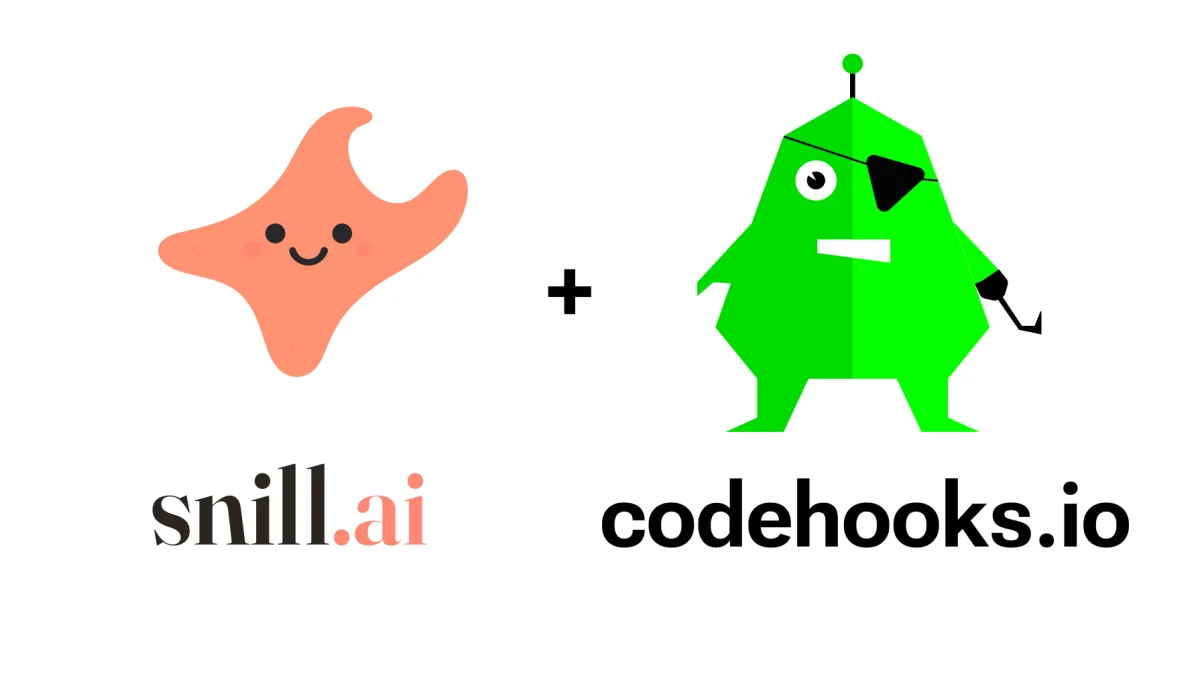
Snill.ai + Codehooks.io — two products from the same team

You described your consulting firm in a sentence and got a working internal app back — clients, projects, time entries, invoices, dashboards, a REST API. That's Snill. Now you mark an invoice as sent and you need something to happen: bill the customer, email them an invoice, update the record when they pay. That's a webhook job — and Codehooks is built for exactly that.

This post introduces Snill to the Codehooks audience, explains why the two fit together so naturally, and walks through a complete example: a Snill trigger fires a signed webhook, Codehooks verifies it and does the real work, then writes the result straight back into your Snill app.

Stop Building Admin Applications

· 6 min read
Jones
Co-Founder and Architect @ Codehooks

Every developer has built some version of the same admin application. Users table, CRUD forms, list views, search, filters, auth, role management, a REST API. You know the drill. You scaffold the project, wire up the endpoints, build the forms, handle validation, add pagination, implement auth — and a week later you have something that looks like every other admin app.

What if you could skip all of that and just describe what you need?

Vibe Coding a Todo App: From Zero to Deployed in One Session

· 8 min read
Jones
Co-Founder and Architect @ Codehooks

How fast can you go from an empty folder to a fully deployed full-stack app? In this post, I'll walk through a live vibe coding session where I pair-programmed with an AI agent (Claude Code) to build a todo app using React for the frontend and Codehooks.io for the backend — all deployed to the cloud in minutes.

Every prompt I typed, every decision the agent made, and every line of code it wrote is documented here. Follow along and try it yourself.

How to Give Your OpenClaw Agent a Backend

· 5 min read
Martin
Co-Founder and Maker @ Codehooks

OpenClaw is everywhere right now. People are running "Jarvis" on Mac minis 24/7, automating their entire digital lives.

But here's the thing: OpenClaw runs locally. That's great for privacy and control. It's less great when you need:

  • REST APIs and webhooks that stay up even when your computer sleeps
  • Persistent storage beyond local files
  • Background jobs that run on a schedule
  • CRUD endpoints your other apps can talk to

You could give your agent access to AWS. Let it wire up Lambda, API Gateway, DynamoDB, and SQS. Watch it burn through your free tier and leak credentials.

Or you could give it a backend designed for agents.

Auto-Generate OpenAPI Docs From Your Code

· 9 min read
Jones
Co-Founder and Architect @ Codehooks

Your API is only as useful as its documentation. Without clear docs, developers waste hours reverse-engineering endpoints, partners struggle to integrate, and AI agents can't understand your API at all.

But writing OpenAPI specs by hand? That's tedious, error-prone, and constantly out of sync with your actual code.

What if your documentation wrote itself?

With the latest codehooks-js update, it does. Define your schemas once, and Codehooks generates complete OpenAPI 3.0 documentation—served as an interactive Swagger UI at /docs.

Webhook-Driven Email Automation in 5 Minutes

· 10 min read
Jones
Co-Founder and Architect @ Codehooks

Every modern SaaS needs to react to events: a user signs up, a payment succeeds, a trial expires. Webhooks are the glue that connects these events to your business logic—but building reliable webhook infrastructure means managing servers, queues, retries, and databases.

Email automation platforms promise to handle this, but they come with baggage: vendor lock-in, limited webhook integrations, and opaque pricing that scales against you.

What if your webhook endpoints could directly power your email automation?

Secure Your Automation Webhooks with Signature Verification (Zapier, Make, n8n, IFTTT)

· 13 min read
Jones
Co-Founder and Architect @ Codehooks

You've built a powerful automation: Stripe payment → Zapier → Slack notification + Google Sheet update + email confirmation. It works beautifully.

But there's a problem: anyone who knows your Zapier webhook URL can trigger your automation with fake data.

The same is true for Make (Integromat), n8n, and IFTTT. These platforms prioritize ease-of-use, but they don't verify that incoming webhooks are actually from Stripe, GitHub, or whoever you think is sending them.

The solution? Use Codehooks as a verified webhook gateway that sits between the webhook sender and your automation platform.

Not a coder? No problem

If you're used to no-code tools, the JavaScript examples below might look intimidating. You can use ChatGPT, Claude, or any AI assistant to generate and customize this code for you. Just share the Codehooks AI agent setup or point the AI to codehooks.io/llms.txt — it will understand how to write Codehooks code for your specific use case. AI coding agents like Claude Code can even run the CLI commands to deploy and configure everything for you.

Building Webhook-Enabled LLM Workflows in JavaScript with Codehooks.io

· 21 min read
Martin
Co-Founder and Maker @ Codehooks

Most AI projects don't need a fleet of orchestration tools to run a few prompt chains. The real work is state management, retries, scheduling, and simple persistence—the operational glue between LLM API calls.

This post shows you how to build a production-ready text summarization workflow using Codehooks.io, the Workflow API, and OpenAI. You'll learn:

  • OpenAI API integration patterns: Error handling, retries, rate limiting, and cost optimization
  • Workflow state management: Building reliable multi-step processes with caching and persistence
  • Webhook triggers: Event-driven workflows that respond to GitHub issues (and other external services)
  • Programmatic access: How to trigger and manage workflows via REST API, CLI, and webhooks

By the end, you'll have a working summarizer that caches results, stores them in a NoSQL database, and can be triggered via REST API or GitHub webhooks—all deployed with a single command.

Here's the workflow we'll build:

Build a Webhook Delivery System in 5 Minutes with Codehooks.io

· 11 min read
Jones
Co-Founder and Architect @ Codehooks

You've built an amazing application. Users love it. Now they're asking: "Can you send webhooks when events happen?"

Maybe it's:

  • An e-commerce platform where customers want order notifications and webhook delivery
  • A SaaS tool where users need real-time webhook alerts
  • An IoT system where devices trigger external workflows via webhooks
  • A business application where events need webhook integration with other systems

The problem? Building a production-ready webhook delivery system from scratch takes weeks. Setting up webhook infrastructure, managing webhook queues, and handling webhook retries is complex.

The solution? Use this Codehooks.io webhook template and have webhook delivery running in 5 minutes.

API vs REST API: Simple Guide with Clear Differences and Examples

· 12 min read
Jones
Co-Founder and Architect @ Codehooks

An API is an interface that lets software communicate by defining how to make requests and receive responses. A REST API is a specific kind of API that follows REST principles over HTTP—using methods like GET, POST, PUT, and DELETE to work with resources. All REST APIs are APIs, but not all APIs are REST.

Confused? Don't worry. In this post, you'll learn everything about the API and REST API domain—from core concepts and key differences to how REST+JSON became the web's standard. We'll explore why REST APIs dominate today's development landscape, compare different backend service models, and finally show you how to build your own APIs in practice using Codehooks.io.

Best Vibe Coding Tools & Why AI Agents Work Better with Simple Backend Infrastructure

· 20 min read
Martin
Co-Founder and Maker @ Codehooks

Updated February 2026 with new tools (Windsurf, OpenAI Codex CLI, Gemini CLI) and refreshed pricing, stats, and feature descriptions across all entries.

Ever notice how some days you're a caffeinated code ninja ready to refactor an entire codebase, while other days you can barely muster the energy to fix a typo? Welcome to the wonderfully human world of vibe coding – and the tools that get it.

Easy API Integration Tutorial: Step-by-Step Guide with Examples

· 12 min read
Martin
Co-Founder and Maker @ Codehooks

APIs and webhooks are essential for connecting different systems and creating smooth user experiences. Whether you're pulling data from external services or receiving real-time events, API integration is at the heart of modern application development.

This tutorial walks you through the entire process—from understanding what API integration means to building robust integrations. You'll learn the tools, step-by-step process, and best practices that make integration work.

socialcard

Linking Alpine.js to a Database REST API: An Easy Tutorial

· 9 min read
Jones
Co-Founder and Architect @ Codehooks

In this guide, we'll explore creating a dynamic web application with Alpine.js. We'll set up a frontend using Alpine.js, a minimalistic JavaScript/HTML framework, and integrate it with a comprehensive REST API database backend. For rapid design, we'll use DaisyUI and Tailwind CSS. This project offers a hands-on way to see these technologies in action.

socialcard