
From Idea to Data App in Minutes
Describe what you need or design it visually — your admin dashboard comes with everything built in:
- CRUD REST API endpoints with OpenAPI/Swagger docs
- Forms and list views for every collection
- Authentication and role-based permissions
- Search, filtering, and pagination
- File uploads and image handling
- Relationships and lookup fields
- Audit logging and user management
All of this from a single schema — generated by AI or built visually.
Perfect For
Everything You Need in an Admin Dashboard
Define your schema, deploy, and start managing data — REST API, OpenAPI docs, authentication, and permissions included
CRUD REST API from JSON
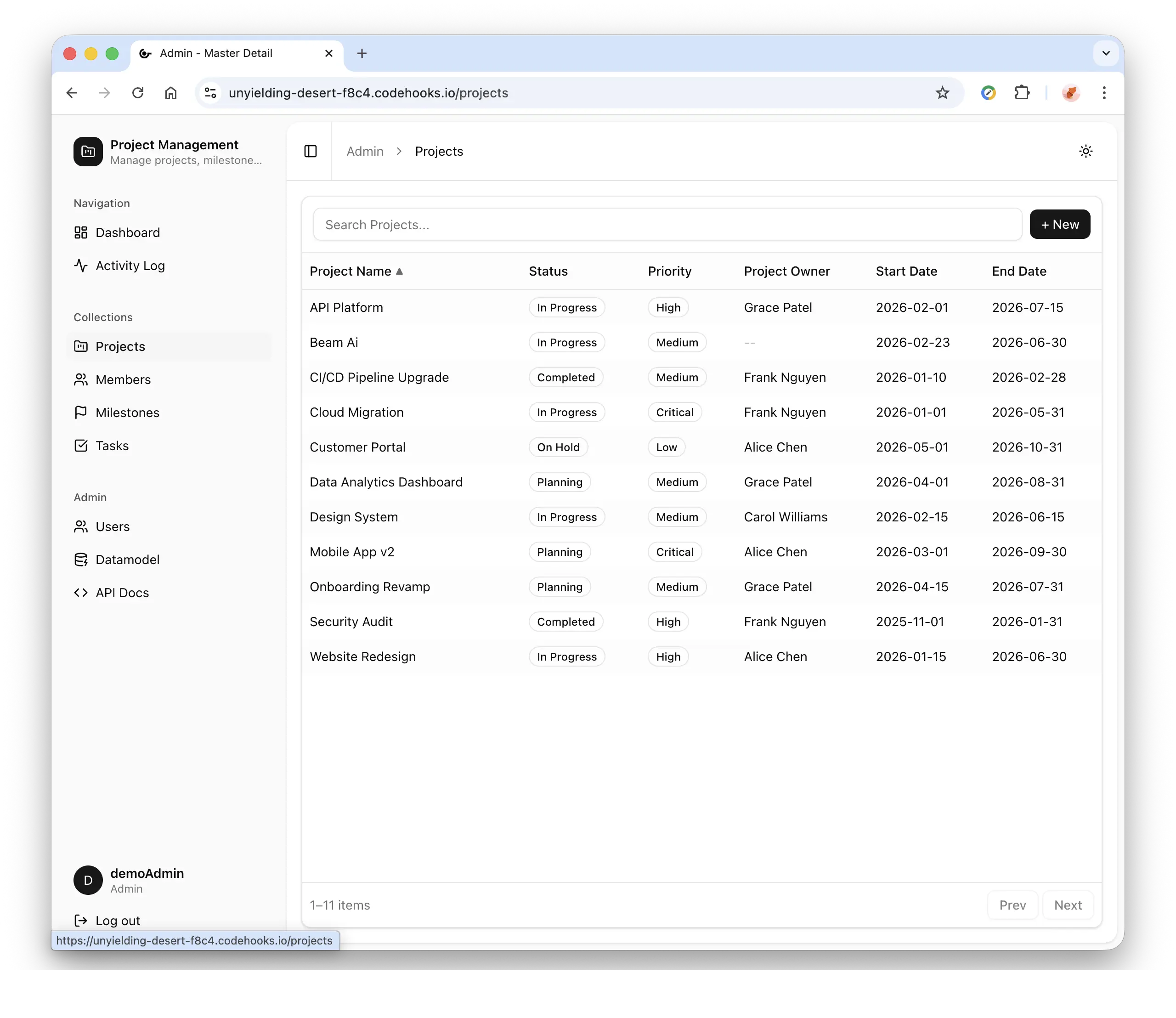
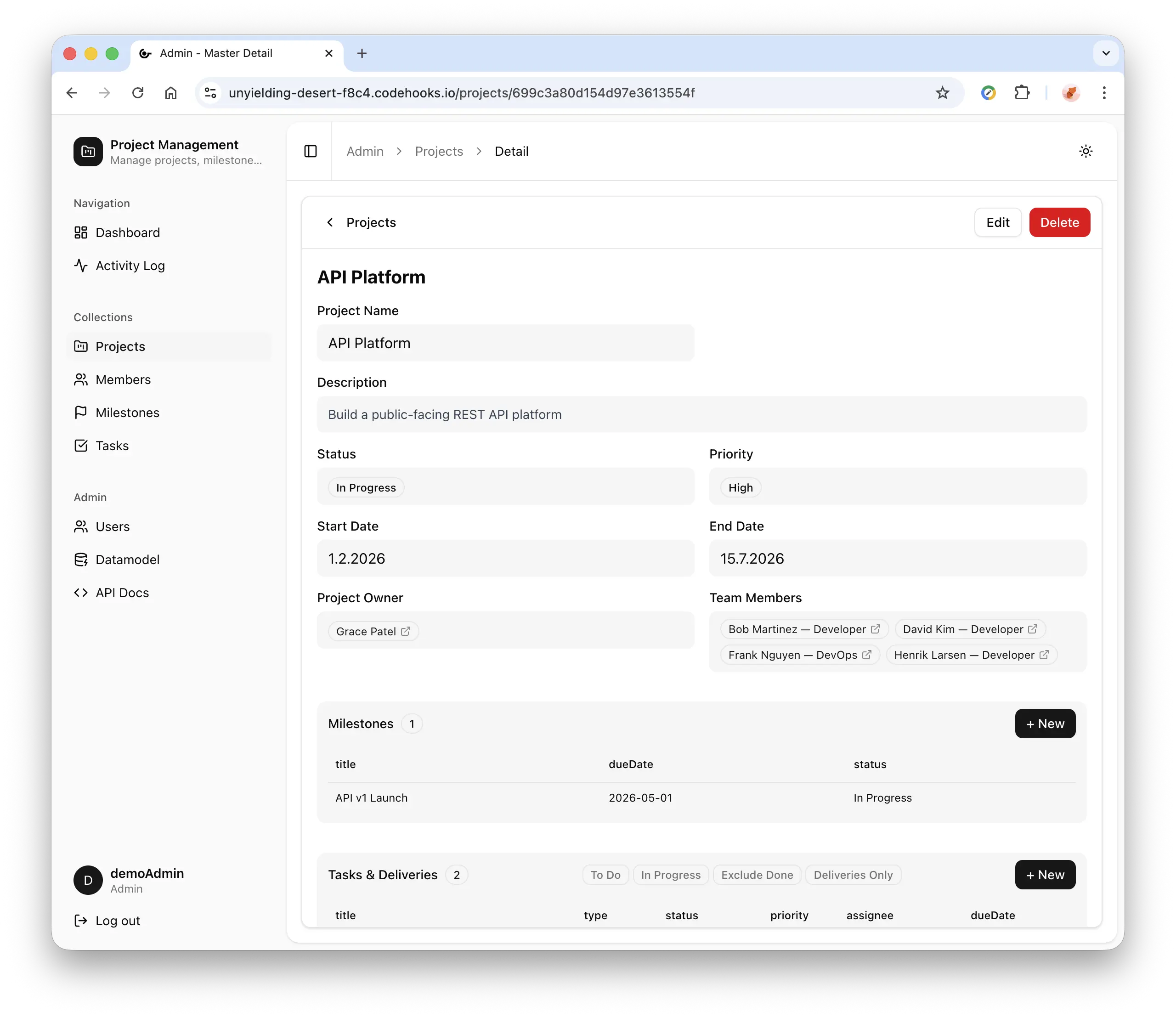
Define collections in a single JSON schema. Get a full REST API with OpenAPI/Swagger documentation, plus auto-generated lists, detail views, forms, search, and pagination.
JWT Auth & Role-Based Access
Built-in login with admin and user roles. Route protection, user management, and httpOnly cookie sessions out of the box.
Visual Datamodel Editor
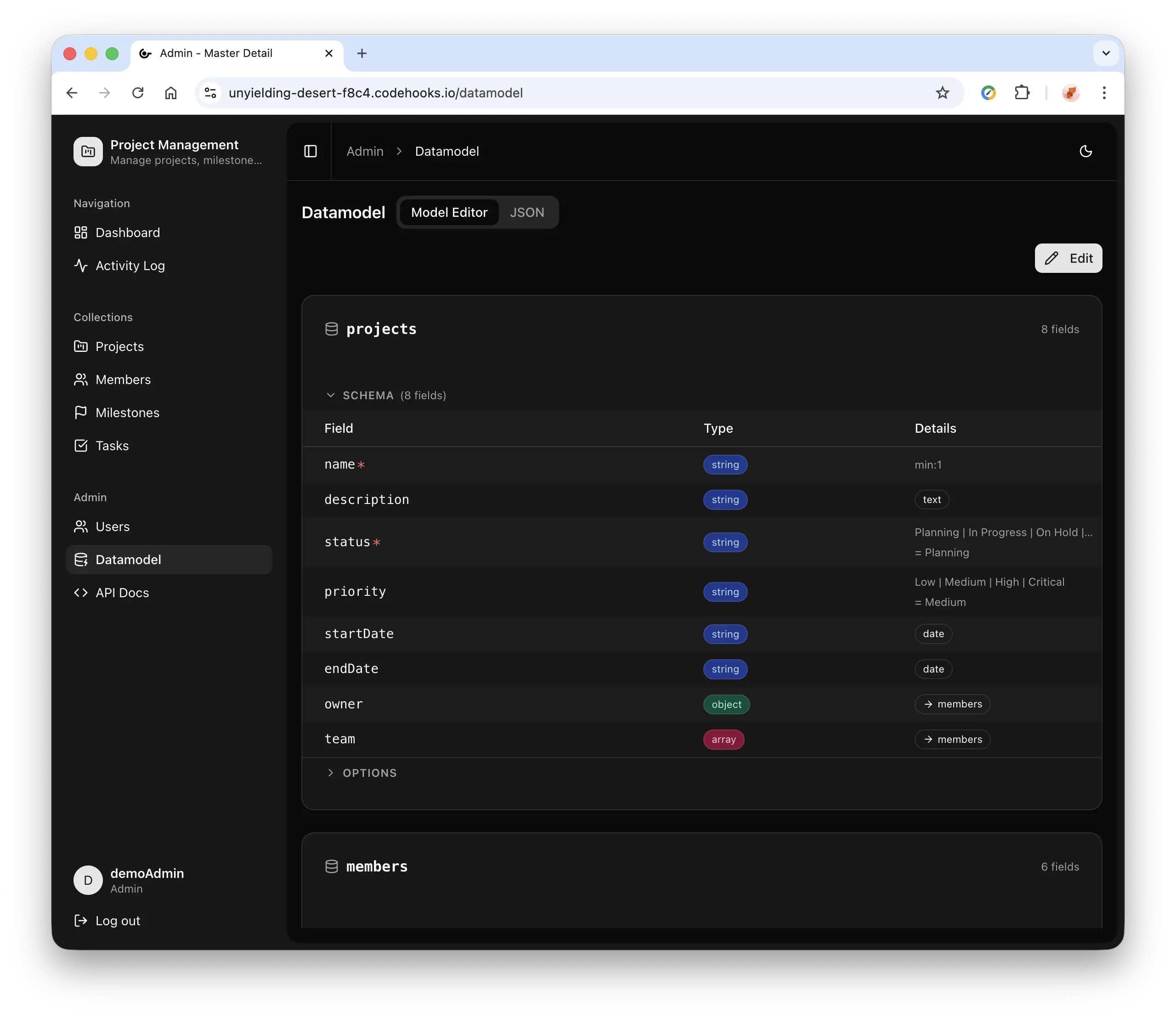
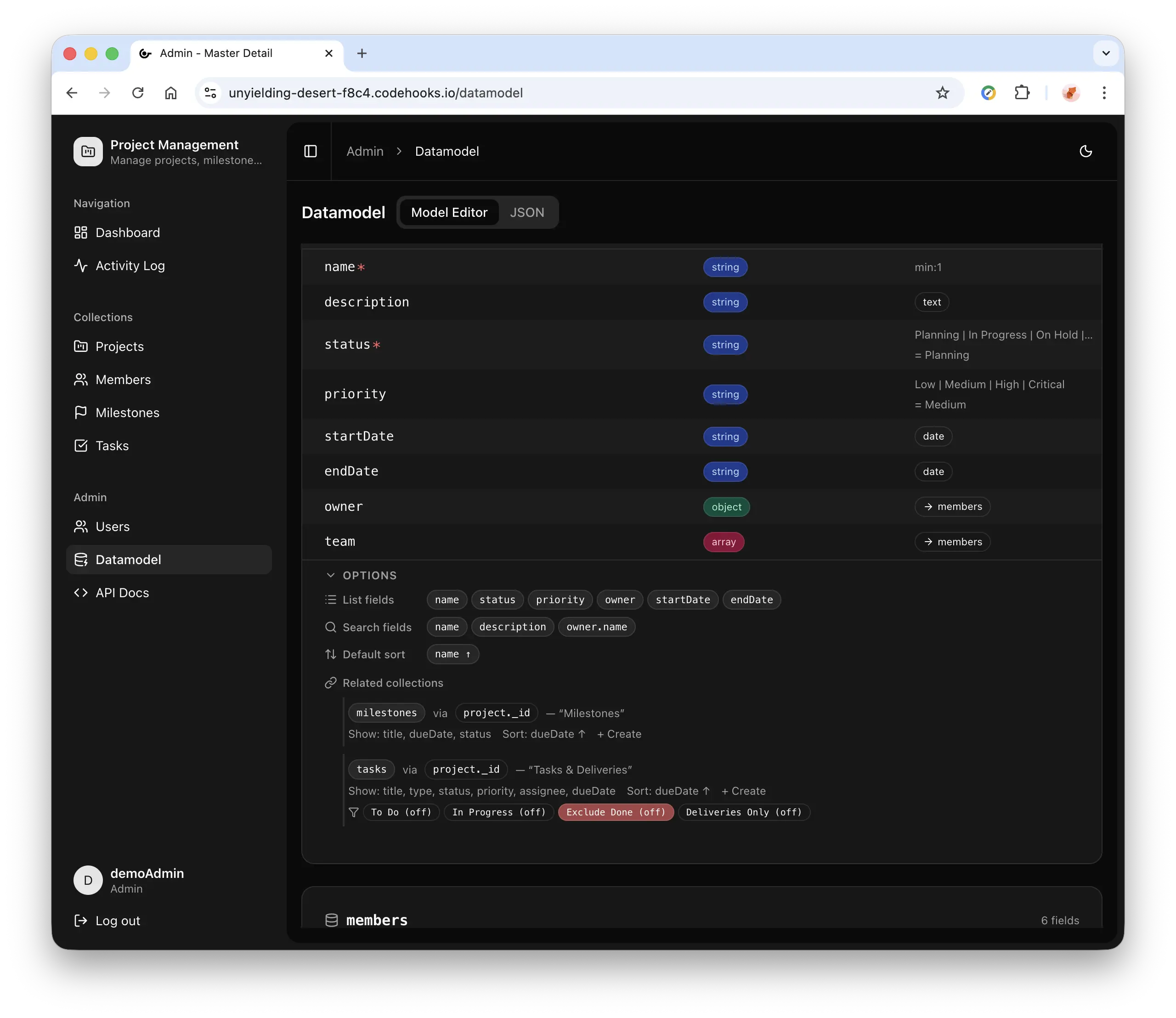
Drag-and-drop collection and field management with JSON editing, syntax highlighting, and version control with rollback.
AI-Powered Schema Design
Built-in prompt generator for ChatGPT, Claude, or any AI. Describe your app, paste the generated JSON, and your UI updates instantly.
Advanced Field Types
Lookups with live search, file and image uploads, email, URL, datetime, enums, and multi-select relationships between collections.
Activity Logging
Full audit trail for all create, update, and delete operations. Searchable history with admin-only log management.
How It Works
From prompt or visual design to live admin dashboard in four steps
Describe or Design
Prompt AI or visual editor
Auto-Generate UI
Lists, forms, detail views
Manage Data
REST API + relations
Deploy & Extend
Customize anything
Schema-driven: Edit via AI prompt or visual editor → UI regenerates automatically → No frontend code changes needed
See It in Action
Design your data model visually or with AI — the interface generates automatically
One Schema, Complete Admin UI
Define your collections and fields in a datamodel JSON file. The dashboard generates all views, forms, and relationships automatically.
- Collections become sidebar navigation items
- Fields become form inputs with proper types
- Lookup fields create live-search relationships
- Icons, labels, and ordering are fully configurable
Or skip the JSON entirely — use the visual editor to create the same schema with clicks.
datamodel.json — define collections and fields:
// datamodel.json{ "collections": { "customers": { "label": "Customers", "icon": "users", "schema": { "type": "object", "properties": { "name": { "type": "string", "title": "Full Name", "minLength": 1 }, "email": { "type": "string", "format": "email", "title": "Email" }, "status": { "type": "string", "enum": ["active", "inactive", "lead"], "title": "Status" } }, "required": ["name"] }, "listFields": ["name", "email", "status"], "searchFields": ["name", "email"], "defaultSort": { "name": 1 } } }}Supported Field Types
Every field type renders as the right UI component automatically
| Type | Format / Modifier | Renders As |
|---|---|---|
| string | — | Text input |
| string | format: "email" | Email input |
| string | format: "uri" | URL input |
| string | format: "date-time" | Date-time picker |
| string | enum: [...] | Dropdown select |
| string | x-accept: "image/*" | Image upload with preview |
| number | — | Number input |
| boolean | — | Checkbox toggle |
| object | x-lookup: {...} | Lookup with live search |
| array | items.x-lookup | Multi-select lookup |
Built for Real-World Admin Needs
From internal tools to production SaaS panels
Internal Tools
Manage employees, inventory, projects, or any operational data. Define your schema and hand off a working admin in hours.
employees • inventory • projects • tasksSaaS Admin Panels
Customer management, content moderation, subscription tracking. Production-ready auth and role system included.
customers • subscriptions • content • settingsRapid Prototyping
Validate data models before writing application code. Use AI to generate schemas, iterate visually, and export when ready.
AI schema design • visual editing • instant previewDatabase Management
Visual database with collections, fields, and relations. Manage data through the UI or through REST API calls.
collections • fields • relations • REST APIReady to Build Your Admin Dashboard?
Deploy a production-ready admin panel in 5 minutes. Free to start, full source code included.
React Admin Dashboard FAQ
Common questions about the admin dashboard template, features, and deployment
What is the React Admin Dashboard template?
How does the JSON-driven approach work?
datamodel.json file. The dashboard automatically generates collection lists, detail views, forms, search, filtering, and pagination based on that schema. Change the schema, and the UI updates instantly — no code changes needed.What authentication does it include?
Can I use AI to design my datamodel?
What field types are supported?
How do lookup fields and data relations work?
Can I customize the UI beyond the generated interface?
How do I deploy the admin dashboard?
npm install -g codehooks, then coho create myadmin --template react-admin-dashboard, then npm run deploy. Set your JWT secrets with coho set-env, and your admin dashboard is live with a unique URL.