Newsletter Software Without the Per-Subscriber Tax
Mailchimp, Substack, ConvertKit—they get you sending, but the trade-offs add up:
- Pricing climbs with every subscriber you add
- Your subscribers live in their database, not yours
- No source code—you can't extend or self-host
- Black-box delivery you can't fully audit
Own your newsletter with a self-hosted platform that scales on your terms.
What You Get, Self-Hosted
Everything You Need to Run a Newsletter
A complete, self-hosted newsletter and waitlist service—not just an API
Double Opt-In Signup
Tokenized email confirmation out of the box. Subscribers confirm before they join, keeping your list clean and your sender reputation intact.
No-Code Admin Dashboard
A password-protected admin UI to manage lists, subscribers, and campaigns. No code changes needed for day-to-day sending.
Markdown Campaign Composer
Write campaigns in Markdown with inline image uploads and live preview. Send when it looks right—no HTML wrangling.
List Management & Bulk Import
Create multiple lists, bulk-import existing subscribers, and cascade-delete cleanly. Your subscriber data lives in your own database.
Deliverability Built In
List-Unsubscribe headers, one-click unsubscribe, and hourly send rate limiting protect new sending domains from throttling.
Fully Brandable
Set your logo, colors, sender details, and email footer at runtime from the admin UI—no redeploy required.
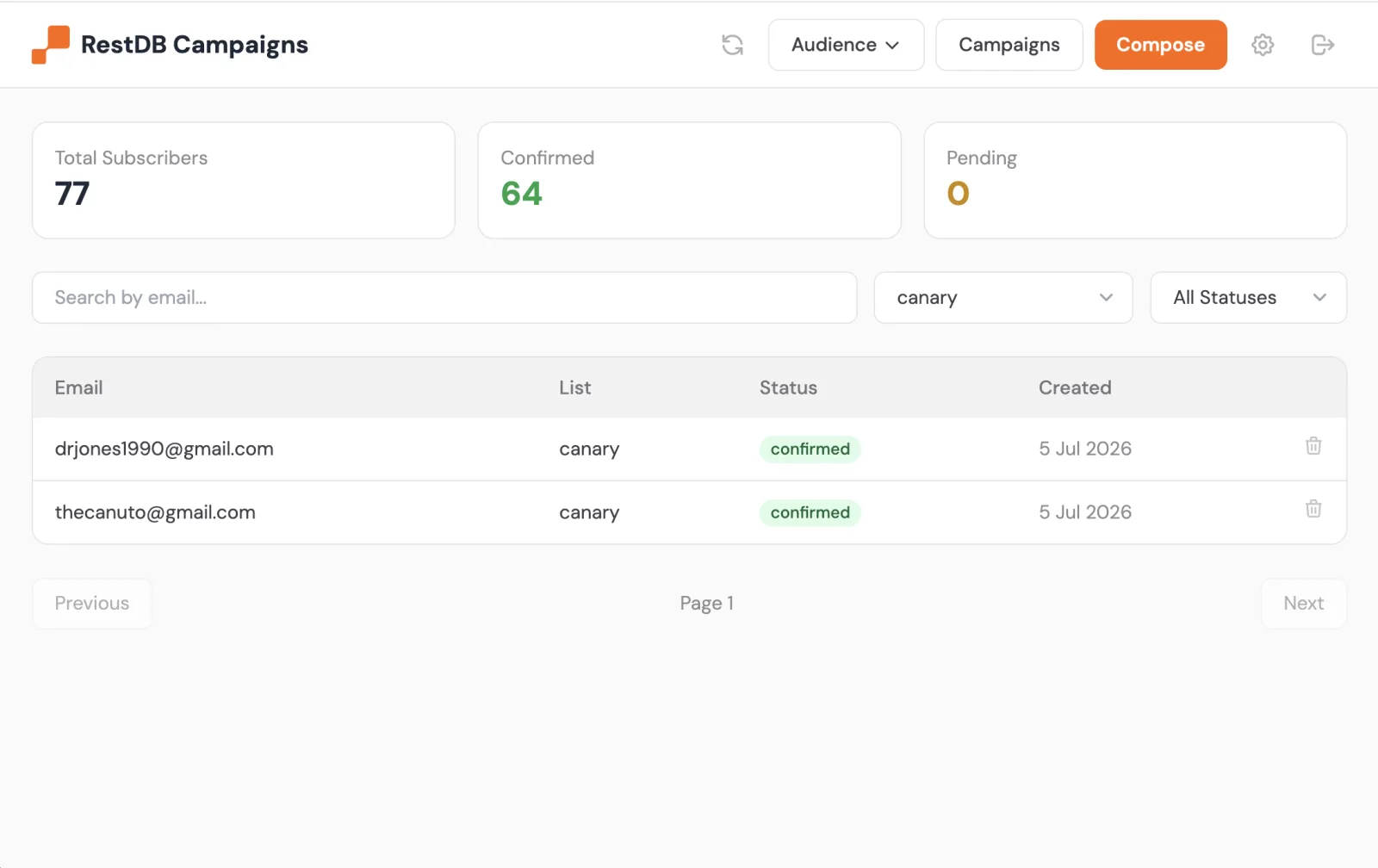
Manage Everything from the No-Code Admin UI
A password-protected dashboard to track subscribers, manage lists, and compose campaigns in Markdown—no code required for day-to-day sending.
How the Newsletter Works
From signup form to inbox, with double opt-in and rate-limited delivery
Subscriber
Signs up
Double Opt-In
Confirms email
Admin UI
Composes campaign
Delivered
Mailgun / Brevo
Automated flow: Visitor subscribes via POST /subscribe → confirms via double opt-in → you compose in the admin UI → campaign is delivered with rate limiting via Mailgun or Brevo
A Self-Hosted Alternative to Mailchimp & Substack
Hosted newsletter services keep your list and charge per subscriber. This template gives you the same essentials while you own the data and the code.
Choose Your Email Provider
Deliver through Mailgun or Brevo—set one environment variable
Mailgun
The default provider. Developer-friendly APIs with strong deliverability and EU region support.
MAILGUN_API_KEYBrevo
A generous free sending tier that's great for getting a new newsletter off the ground.
BREVO_API_KEYBuilt for Newsletters and Waitlists
One self-hosted template, several ways to grow an audience
Company Newsletter
Send product updates and announcements to a list you own. Compose in Markdown, brand it, hit send.
updates • announcements • digestsProduct Waitlist
Capture early interest with a double opt-in signup, then email the whole list the day you launch.
signup • confirm • launch-emailCommunity Digest
Run multiple lists for different segments and send a recurring digest to each from one admin UI.
segments • lists • weekly-digestDeploy Your Own Newsletter Platform
A self-hosted newsletter and waitlist service in minutes. Own your list, own your code, no per-subscriber pricing.
Self-Hosted Newsletter FAQ
Common questions about the self-hosted newsletter and waitlist template
What is self-hosted newsletter software?
Is this a good Mailchimp or Substack alternative?
How does double opt-in work?
POST /subscribe endpoint, the system sends a tokenized confirmation email. The subscriber is only added to your active list once they click the confirmation link. This keeps your list clean and protects your sender reputation.Which email providers are supported?
EMAIL_PROVIDER—your lists and campaigns stay the same.Can I import an existing subscriber list?
Is it CAN-SPAM and GDPR compliant?
Do I need to know how to code?
How do I collect subscribers?
POST /subscribe that accepts { email, list }. Point your signup form or waitlist page at it, and confirmed subscribers flow straight into the list you created in the admin UI.